

Our official ChatGPT plugin is now live in the ChatGPT Plugin Store. If you already use ChatGPT for anything SEO-related, this is the missing piece: instead of pasting screenshots and CSVs into chat, ChatGPT talks to your SignalSumo account directly.
Get the plugin
Add it in one click from the ChatGPT Plugin Store. Requires a SignalSumo Pro or Agency plan.
Open SignalSumo in the ChatGPT Plugin Store
How you add it (30 seconds)
Step 1 — Open our listing in the ChatGPT Plugin Store and click "Try in chat".
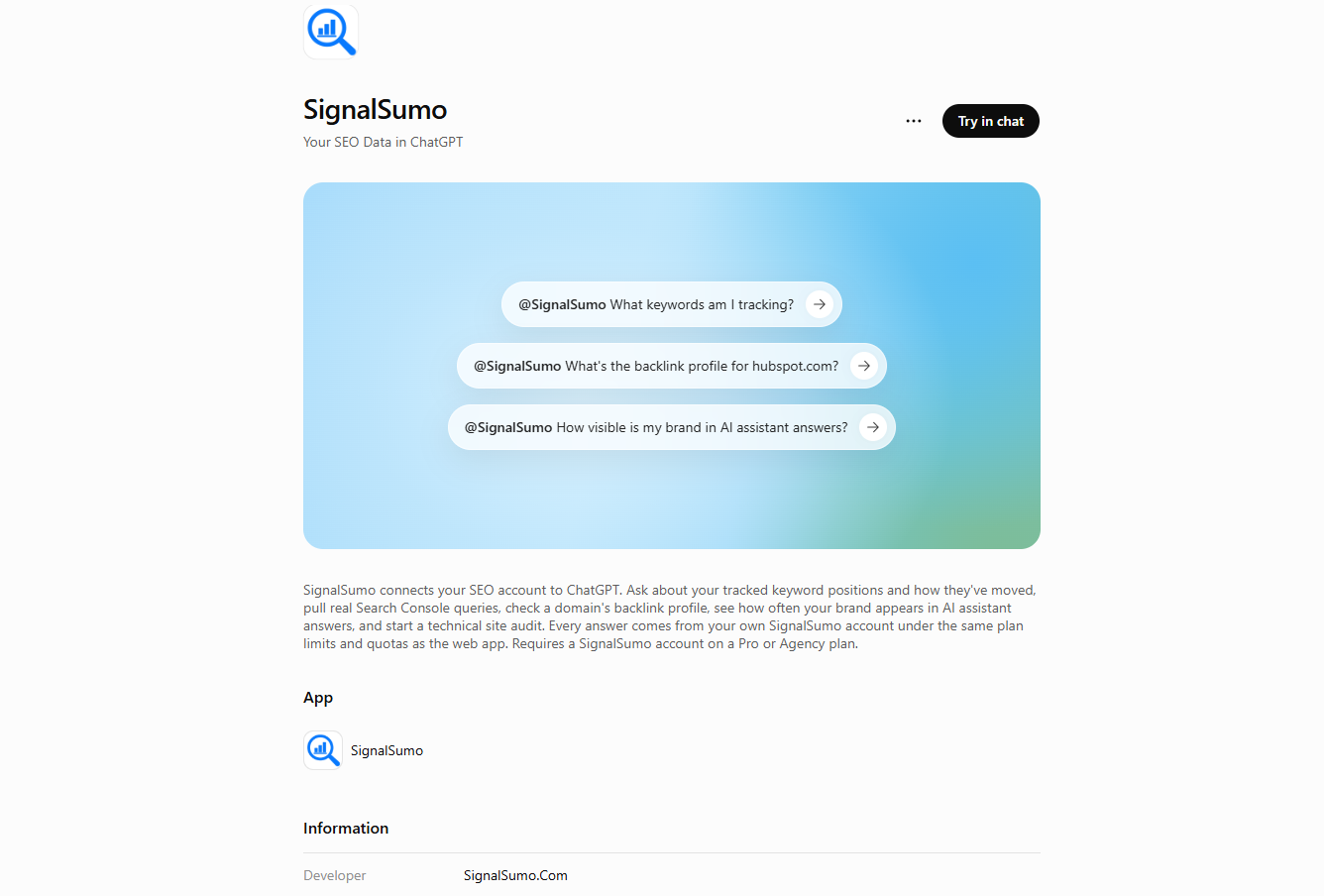 Our verified listing on the ChatGPT Plugin Store — open it here.
Step 2 — Authorize the connection. ChatGPT hands you off to signalsumo.com, where you approve the scope. Click Authorize and you're done — you'll never see this screen again for this ChatGPT account.
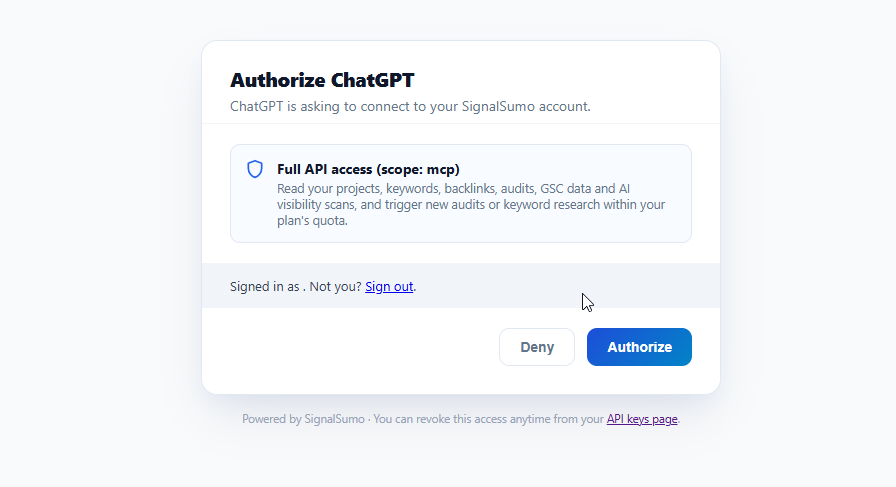 One-time authorization from SignalSumo — you can revoke access any time from your API keys page.
Step 3 — Ask a question in chat. The plugin is invoked with the @SignalSumo handle. Try one of these to start:
@SignalSumo What keywords am I tracking?@SignalSumo What's the backlink profile for hubspot.com?@SignalSumo How visible is my brand in AI assistant answers?
No API keys to paste. No configuration files. No browser extension. If you can install a ChatGPT plugin, you can use it.
What you can do inside ChatGPT
The plugin exposes twelve SignalSumo tools to ChatGPT. Nine are free reads of data your account already has; three run paid actions and clearly declare when they consume plan allowance — so ChatGPT will surface the cost before doing anything expensive.
Free reads (9 tools)
- List tracked keywords — every keyword the account is tracking, with the latest position, search volume and target URL.
- Get rank history for a keyword — the recorded position history for one keyword so trends and drops can be described in words.
- List AI visibility projects — every project you have set up for tracking visibility in AI-answer engines.
- Get AI share of voice — how often your brand appears in AI answers vs. your competitors, per project.
- List Search Console properties — all Google Search Console properties connected to the account.
- Get Search Console queries — real queries, clicks, impressions and average position, straight from GSC, filterable by date and dimension.
- Get account usage and limits — plan tier, credits remaining, and API usage. Perfect to check before running a paid call.
- List keyword research markets — the country and language codes accepted by the research tool, so ChatGPT never guesses a market.
- Get background job status — poll a running site audit and wait for it to finish before summarising.
Actions that consume allowance (3 tools)
- Get backlink profile for a domain — referring domains and backlinks for any domain. Answered from cache when the domain has been analysed before; consumes backlink allowance only for fresh domains.
- Research keyword ideas — search volume, difficulty and related ideas for a seed keyword, market-aware.
- Start a site audit — kicks off a technical SEO crawl and returns a job id. ChatGPT polls the job for you, then summarises the findings.
Cost is never a surprise. Each paid tool prints "COST: consumes X allowance" in its own description, so ChatGPT can warn you before running anything that draws from your plan.
More prompts to try
The three from Step 3 are the starter set. Every plain-English question below works too — prefix with @SignalSumo in a fresh chat, or just ask if the plugin is already active in the current one:
- "@SignalSumo Which of my tracked keywords lost the most positions in the last 14 days?"
- "@SignalSumo Show me my top 20 Google Search Console queries by impressions this month, and which of them we don't yet rank in the top 10 for."
- "@SignalSumo How does my AI share of voice compare to my top competitor across ChatGPT and Google AI Overview?"
- "@SignalSumo Research the keyword ai seo tools in the United States market and give me 10 low-difficulty long-tails."
- "@SignalSumo Pull the backlink profile for example.com and group the referring domains by topical category."
- "@SignalSumo Start a technical audit of https://example.com, wait for the results, then tell me the three biggest issues."
- "@SignalSumo How many credits do I have left, and which of my tracked keywords haven't been refreshed in the last 7 days?"
ChatGPT picks the right tool for the question, chains multiple tools when needed (list keywords → get history for a keyword → summarise), and cites the source of every number it uses.
Modern features that make it safe
Some plugins ask you to paste an API key or trust a browser extension with your session cookies. Ours does neither.
Sign in with SignalSumo — no password to ChatGPT
When you add the plugin, ChatGPT hands you off to signalsumo.com to sign in. You approve the connection there. ChatGPT receives a scoped access token that only your account can use — never your password, and never a static, long-lived API key you have to rotate manually.
Every tool runs through our real API
There is no shadow implementation. Each of the 12 tools uses the same code path as our public REST API, so plan gating, ownership checks, credit accounting and paid-call guards are identical to what the dashboard enforces. The plugin cannot do anything your account cannot already do.
Read-only by default, destructive actions clearly marked
Reads are labelled read-only. Starting a site audit is labelled destructive. ChatGPT can present a paid tool differently from a free one, and will confirm before doing anything that changes state or spends credit.
Plan gating in one place
Only accounts on a plan with plugin access enabled can use it. If a plan is downgraded, the connection refuses cleanly — no "silently broken tool" state.
Who it's for
- In-house SEO teams that want ranking and Search Console questions answered in the same chat window where the rest of their work happens.
- Agencies running multiple client accounts — one prompt can summarise the state of a whole portfolio without opening a single dashboard tab.
- Content teams who need volume, difficulty and intent for a fresh keyword the moment a brief lands, not the next day.
- Founders and marketers who don't want to learn another tool UI — the assistant they already talk to gets the same data.
Data, privacy and control
The plugin can only read data your SignalSumo account already has access to. It cannot see other users' projects, cannot bypass your plan's credit limits, and cannot exfiltrate data outside the flows above. You can revoke the ChatGPT connection any time from your SignalSumo account settings — the next tool call will fail cleanly with a re-authentication prompt.
What it's not (yet)
A few things are intentionally out of scope in the current release:
- Bulk exports. The plugin is optimised for questions, not for dumping the whole database into chat. Use the export tools inside the SignalSumo dashboard for that.
- Local Marketing tools. The Local SEO Toolkit and grid-scan tools are not exposed to the plugin yet — they will land in a follow-up.
- Team-level admin actions. Invites, billing, plan changes and other account admin still live in the dashboard.
The bottom line
SEO doesn't live inside one tool anymore. It lives across dashboards, spreadsheets, Search Console, AI answer engines and — increasingly — the AI assistants your team already talks to all day. The SignalSumo ChatGPT Plugin closes the gap: your rank data, your Search Console data, your AI visibility, your backlinks and your audits, all reachable from a single sentence in ChatGPT.
Open SignalSumo on the ChatGPT Plugin Store and add it to your ChatGPT. Then try one of the sample prompts above.